UX Design Strategy
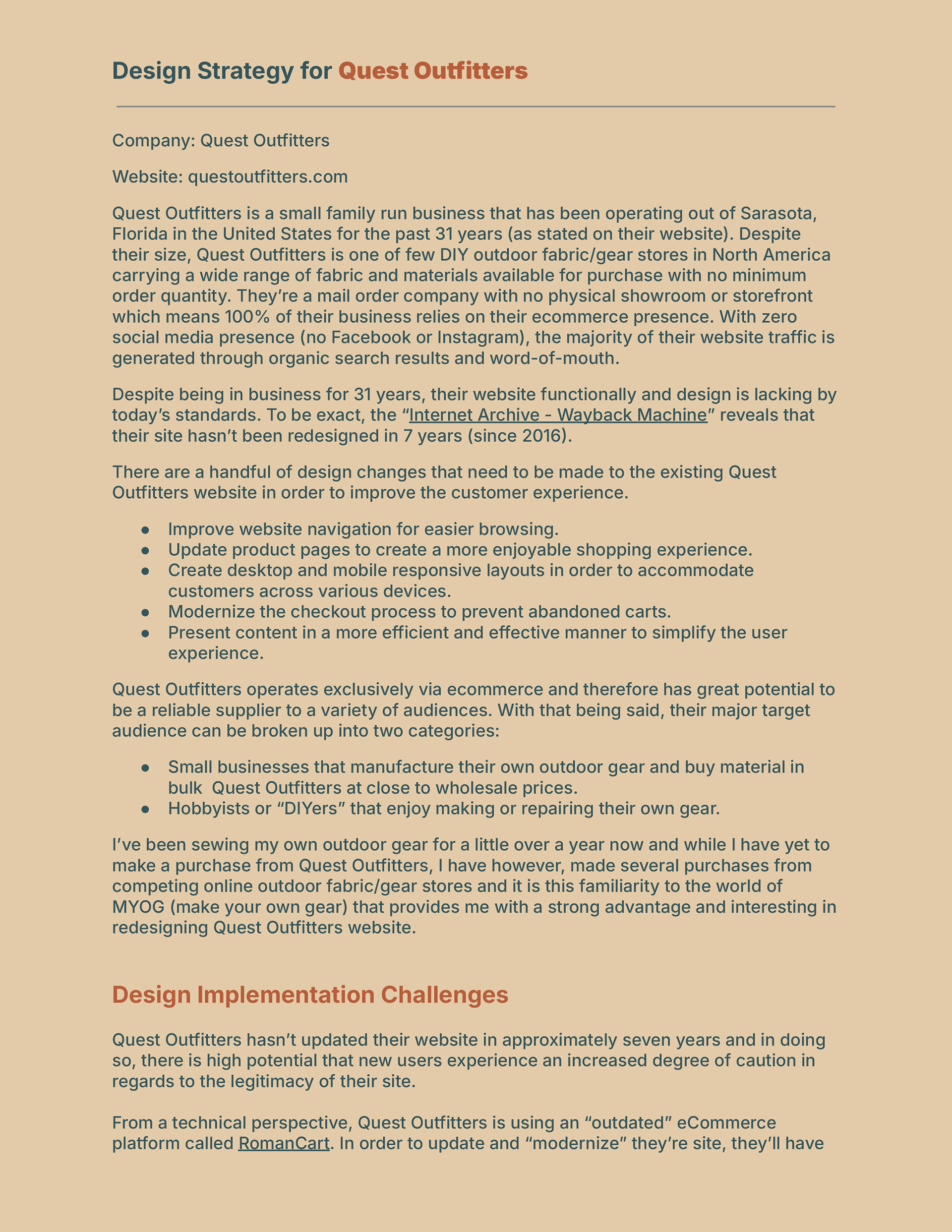
This project involved a user experience analysis and design strategy for Quest Outfitters, a long-standing, family-run e-commerce business specializing in DIY outdoor gear materials. The work evaluated usability, navigation, content structure, and checkout flow across desktop and mobile experiences, identifying key opportunities to modernize the site, improve customer trust, and support both small-business buyers and DIY hobbyists through a more intuitive, responsive shopping experience.
Primary User Persona
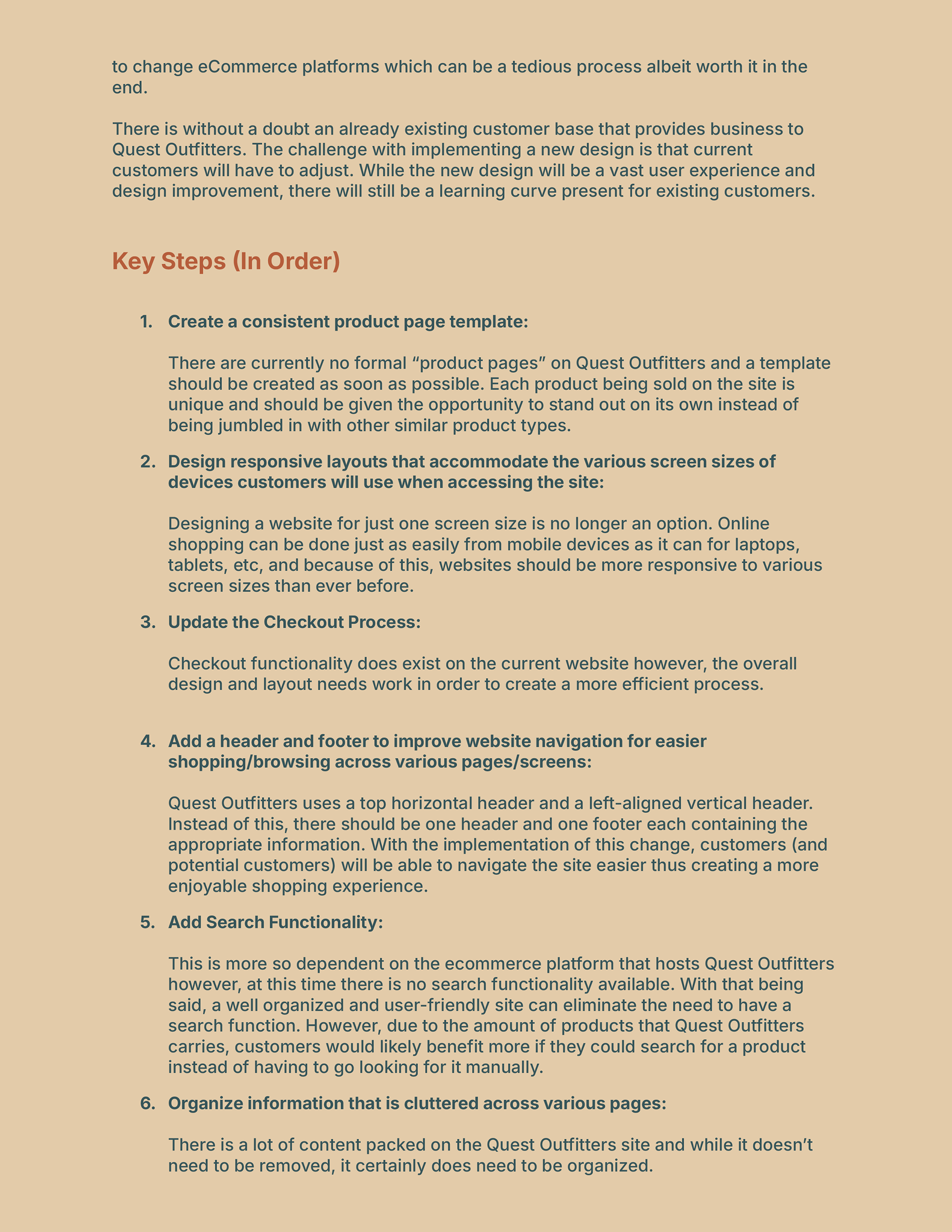
This deliverable focused on defining the primary user persona for Quest Outfitters through analysis of user characteristics, motivations, and purchasing behaviors within an e-commerce environment. The resulting persona represents the core audience and serves as a reference point for evaluating usability, guiding design decisions, and aligning future interface improvements with real user needs.
User Scenario
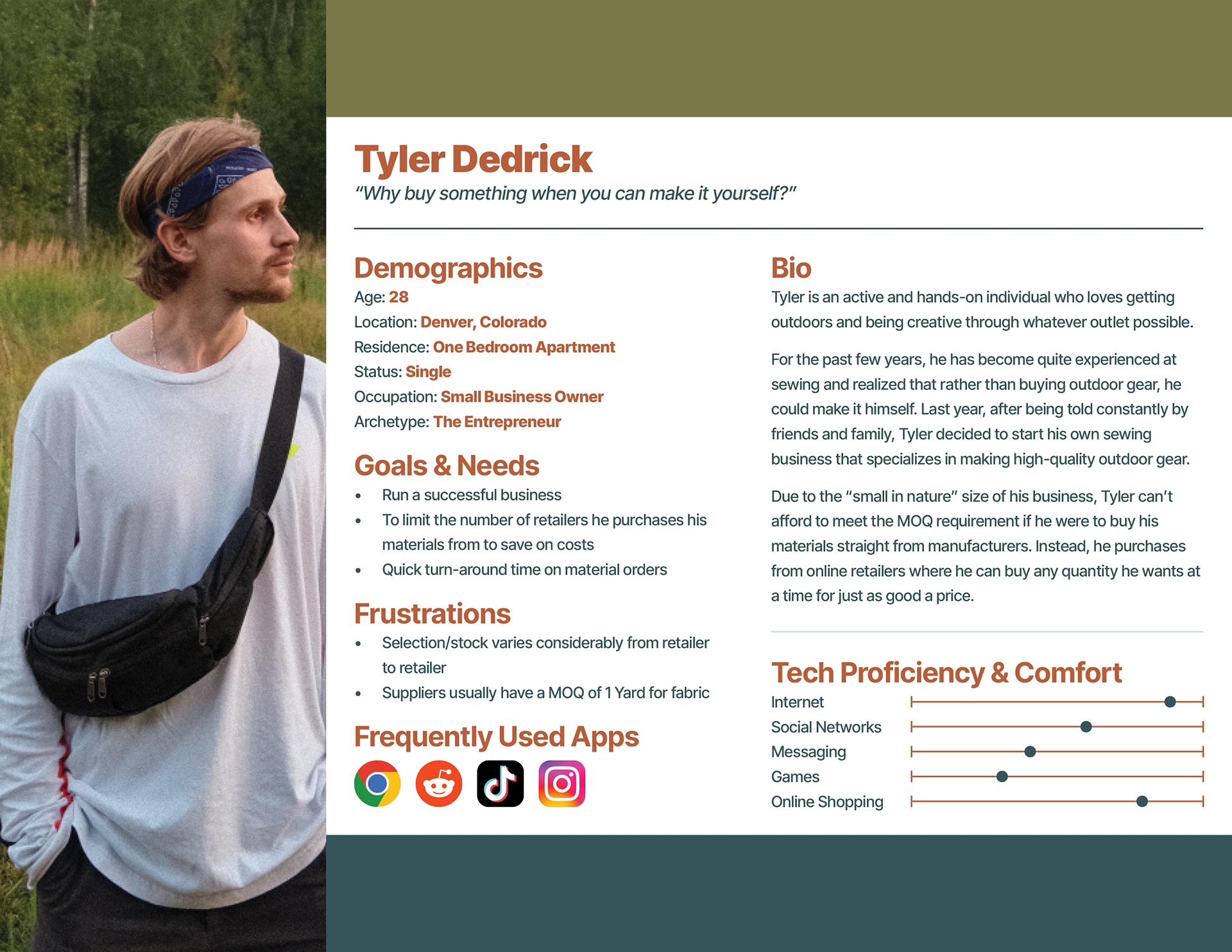
This user scenario places the primary persona for Quest Outfitters into a realistic purchasing context to illustrate their goals, motivations, and interactions with the website. Written as a short narrative, the scenario demonstrates how the user navigates the site to complete a purchase, helping translate persona insights into concrete user behaviors that inform task flow analysis and design decisions.
Tyler recently finished selling a few pieces of his specialty gear and realized that he’ll need to replenish his material stock; specifically EcoPak fabric. He usually orders material every month based on how much demand he receives for his products (since the majority of his items are made to order). Tyler has his “go-to” local supplier where he will routinely order from and unfortunately for him, at the moment EcoPak is currently sold out. This isn’t uncommon and he usually has to search the web in order to find a different supplier to meet his needs. Today, he will be searching for a supplier that sells EcoPak and after a brief search/browse on Google, Tyler ends up on the Quest Outfitters homepage.
From the homepage, he clicks on “Products” (located on the header) and is provided with a dropdown menu with a list of various products. Fabric is the first item on the menu so he clicks that and is redirected to a new page that contains a collection of various fabrics. It doesn’t take long for him to find EcoPak and after clicking on the item, he’s brought to a product page. Tyler is in luck, not only does Quest Outfitters have EcoPak in stock, but they also have all the colours he needs! He adds a few colours to his cart, clicks the cart icon to look over his recently added items, then satisfyingly clicks the checkout button.
Tyler is brought to an account page where he is prompted with the option to type in his information to either sign-in, create an account, or checkout as a guest. Realizing how much stock Quest Outfitters has, it’s more than likely that he’ll order from them again so he types in his information and clicks the “Create Account” button. On the next page Tyler provides his shipping/billing information, selects a shipping method, and form of payment/details. He clicks the “Review Order” button and gives everything one last look-over before clicking the “Place Order” button.
Overall, the moment Tyler arrived at the homepage to completing the checkout process took less than five minutes. He found what he was looking for with very minimal effort and had all the information he needed at every step of the process. All Tyler has to do now is wait for his order to arrive and if the quality is good, he won’t hesitate to order from Quest Outfitters again.
User Task Flow
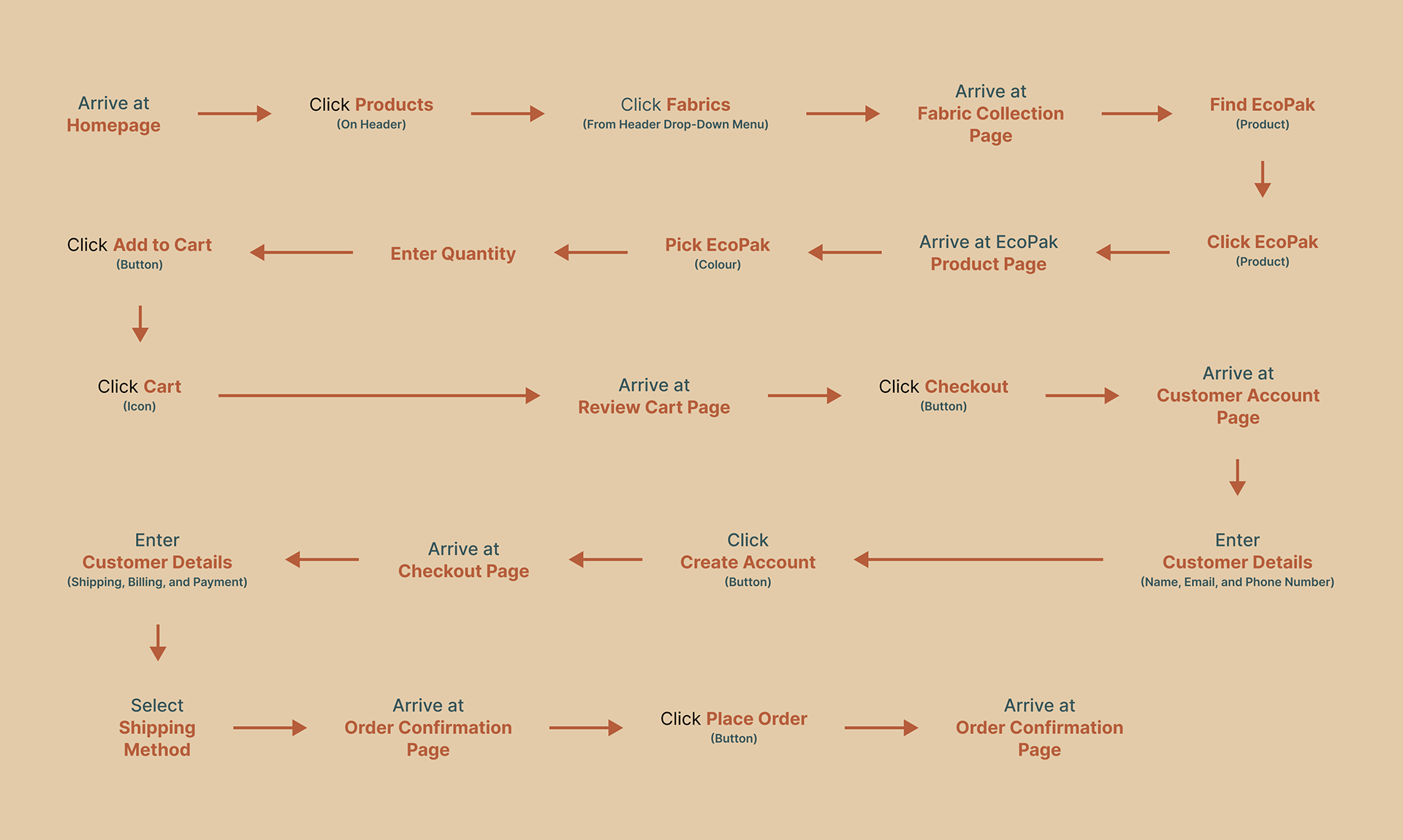
This user task flow translates the user scenario for Quest Outfitters into a structured sequence of actions and decision points required to complete a purchase. The flow highlights key steps, dependencies, and potential friction points in the e-commerce experience, providing a clear framework for evaluating usability and informing interface design improvements.
Recommendation List
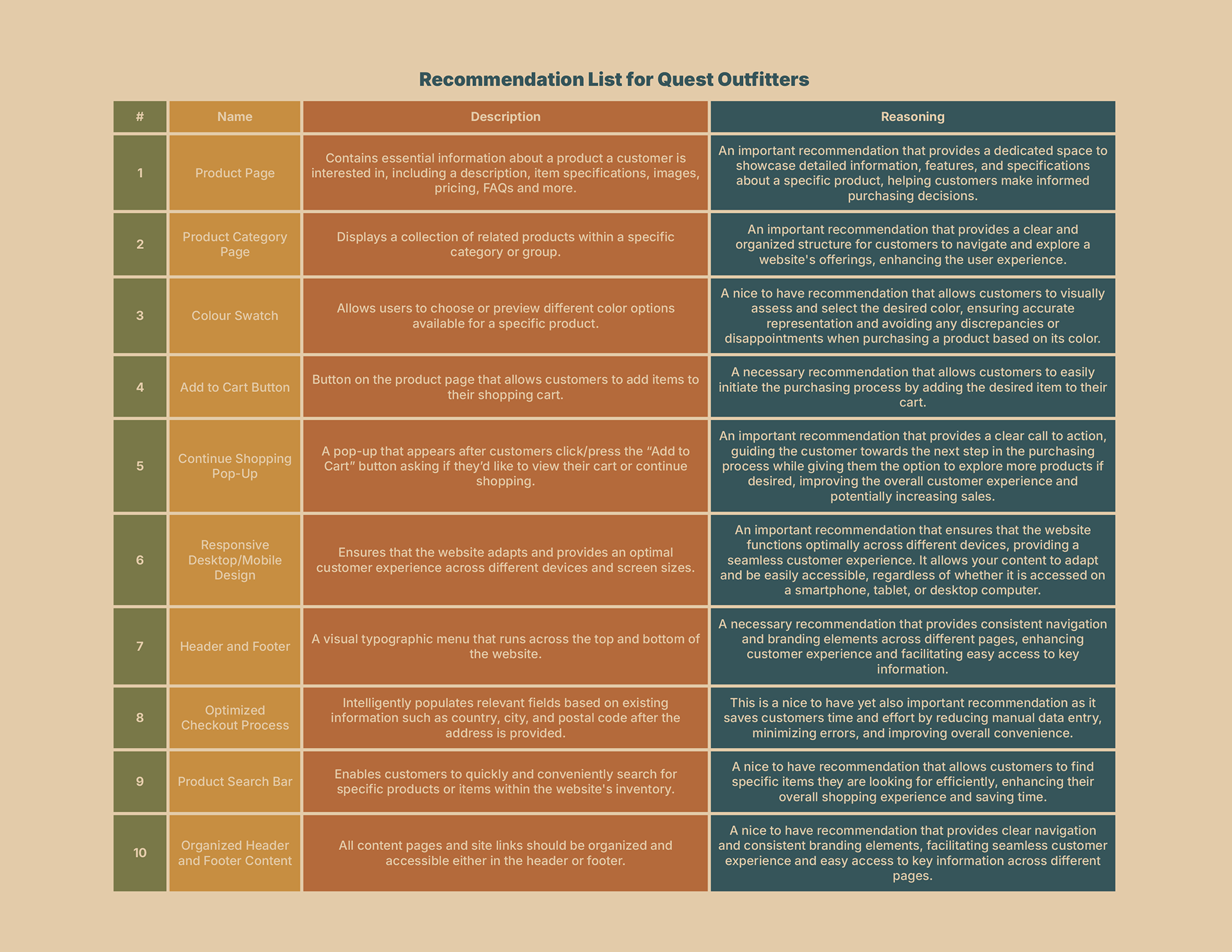
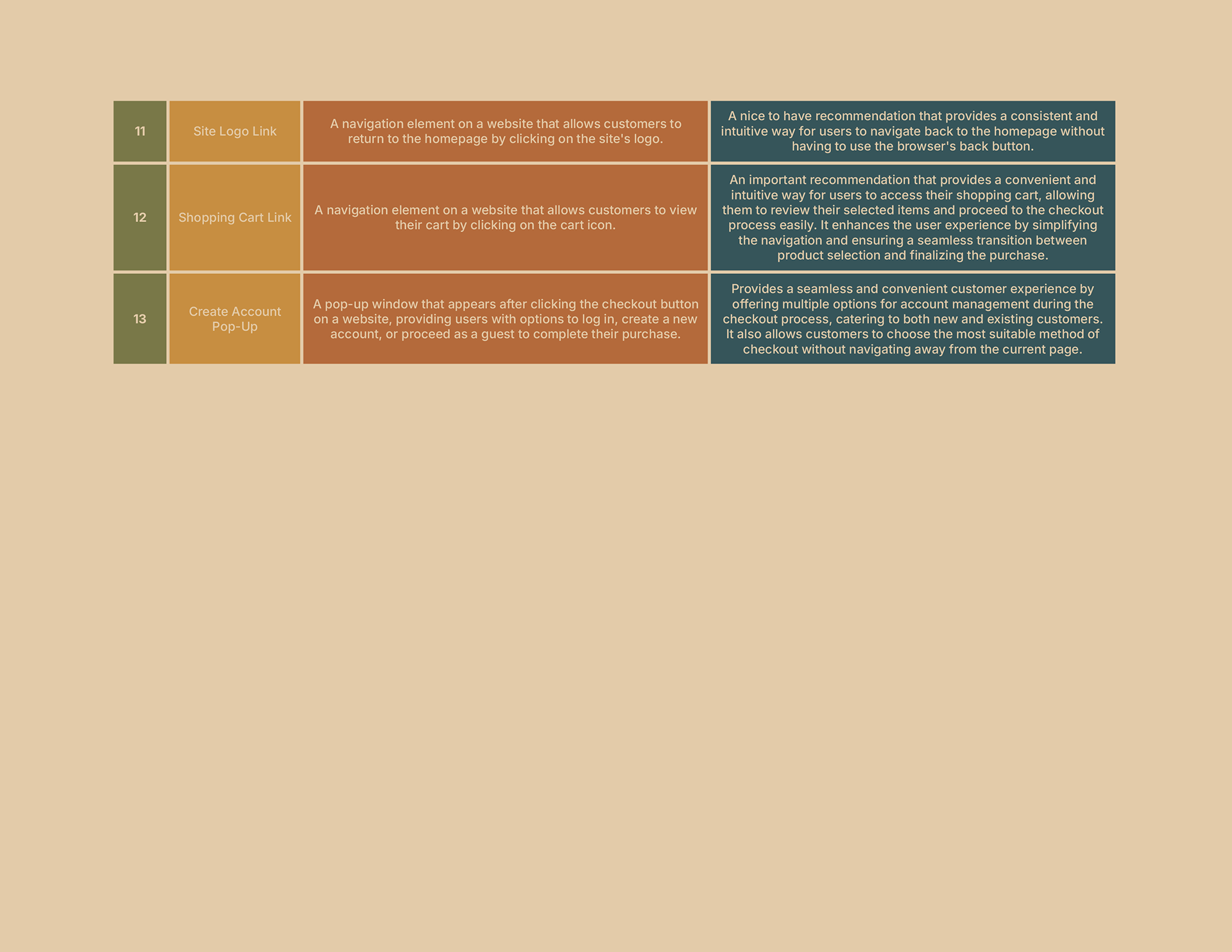
This recommendation list outlines a set of prioritized UX improvements for Quest Outfitters, focused on enhancing product discovery, navigation, checkout efficiency, and cross-device usability. Each recommendation is grounded in user needs identified through prior persona, scenario, and task flow analysis, and balances essential functionality with usability enhancements to support a more intuitive and effective online shopping experience.
User Experience Map
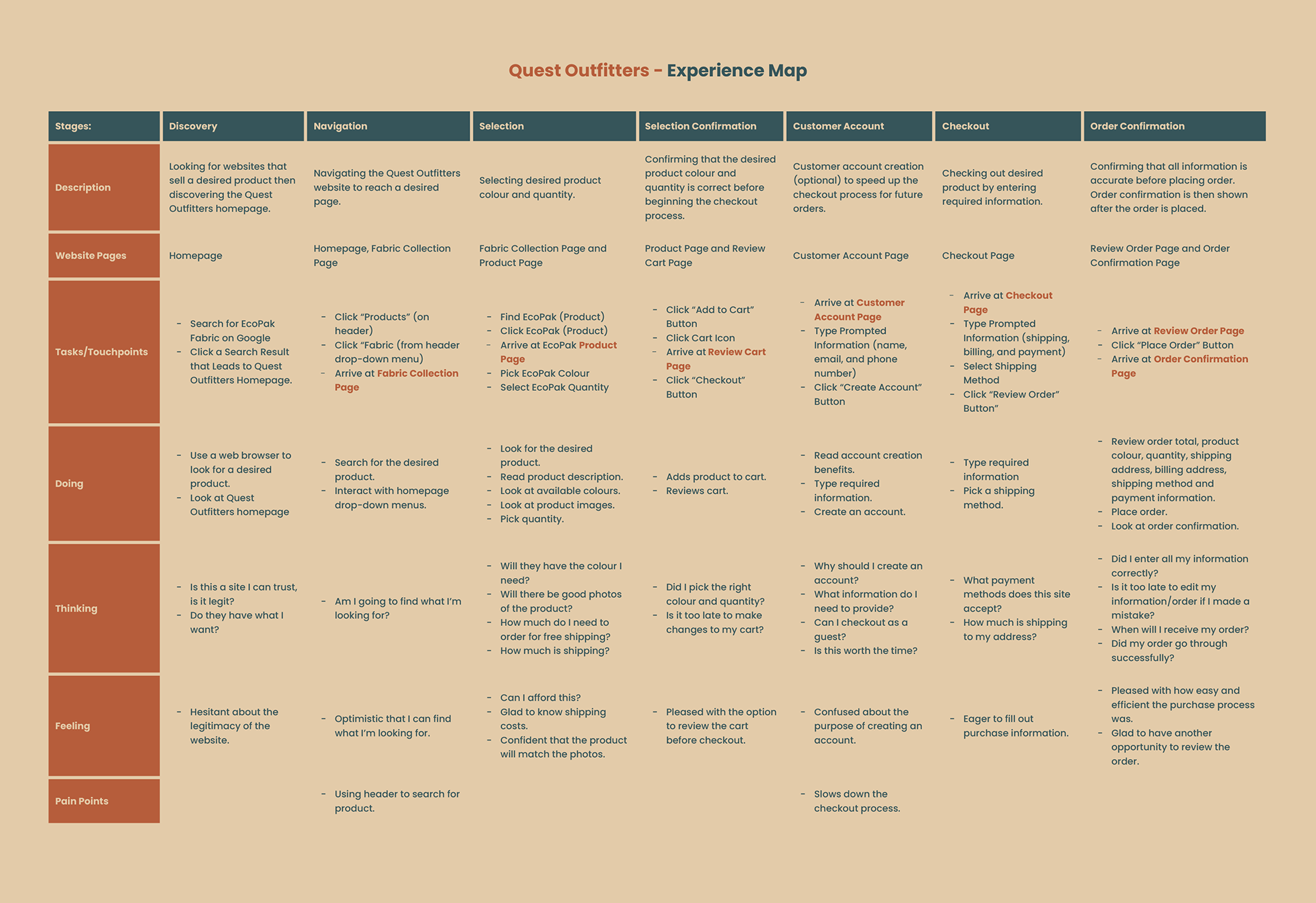
This experience map visualizes the end-to-end journey of a user completing an online purchase on Quest Outfitters. Based on insights from prior personas, user scenarios, and task flows, the map captures what the user is doing, thinking, and feeling at each stage of the transaction. The chosen format highlights emotional shifts, decision points, and friction areas, helping identify opportunities to improve usability and overall customer experience throughout the e-commerce flow.
Conceptual Wireframes & Page-Level Functional Design
This work involved creating a set of conceptual wireframes for key pages within the Quest Outfitters e-commerce website, paired with clear functional descriptions for each page. The wireframes define page purpose, content hierarchy, and navigation structure across the shopping journey—from homepage discovery through checkout—ensuring each screen supports user goals, task flow continuity, and a cohesive end-to-end purchasing experience.
Functional Description for Homepage
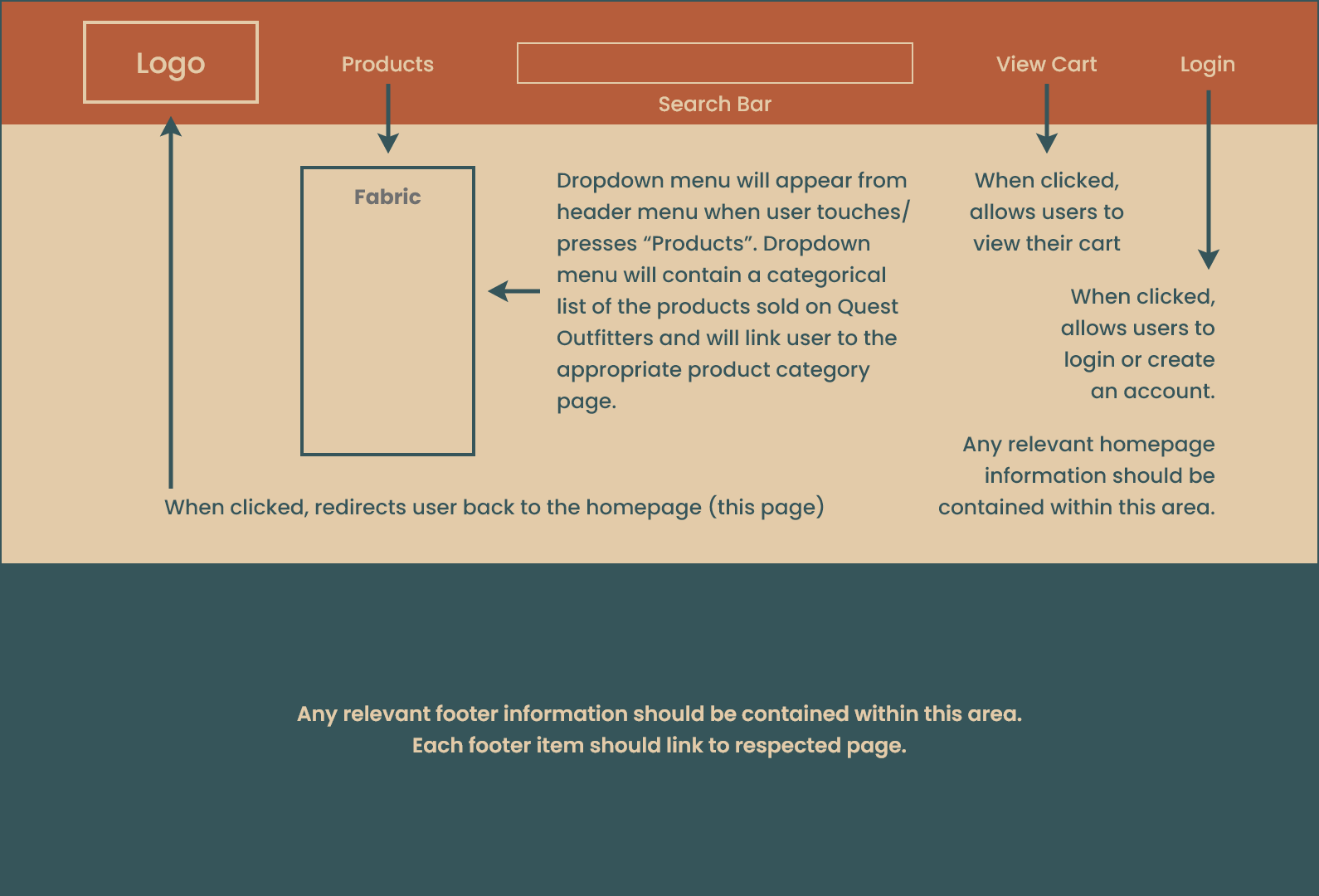
The purpose of a homepage is to serve as the front page of the website. It is typically the first page that users encounter when they visit a website. The functional job of a homepage is to provide essential information and navigation options to visitors, helping them easily access the content and services they are seeking. The conceptual homepage wireframe was designed to do exactly this.
Functional Description for Product Category Page
The purpose of a product category page is to group similar products together based on certain criteria, making it easier for users to browse and find items of interest. The functional job of a product category page is to provide a clear and organized layout that showcases various products within a specific category (fabric).
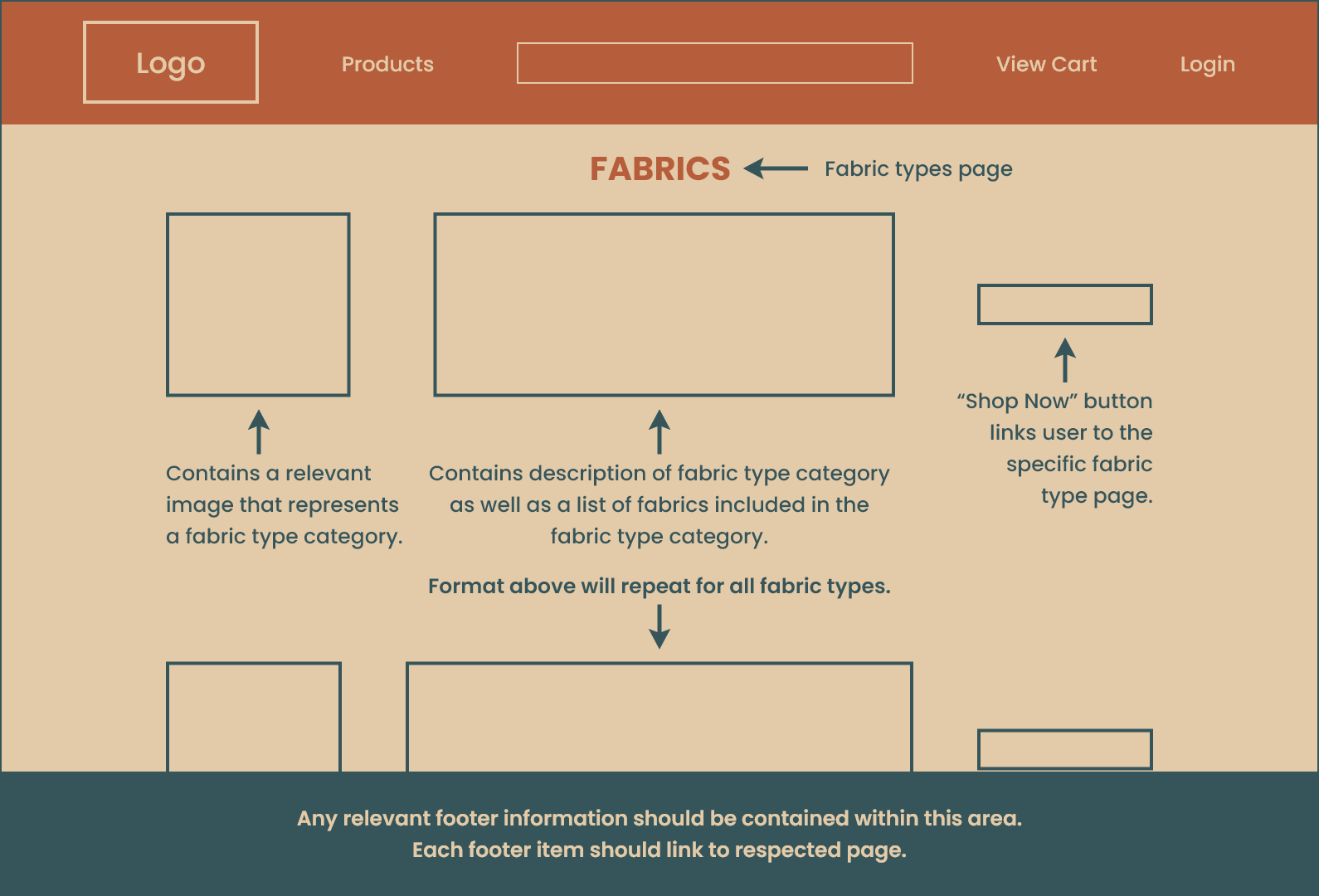
Functional Description for Collection Page
The purpose of the collection page is to display individual products within a specific category. It serves as an extension of the product category page, allowing users to delve deeper into specific categories of products.
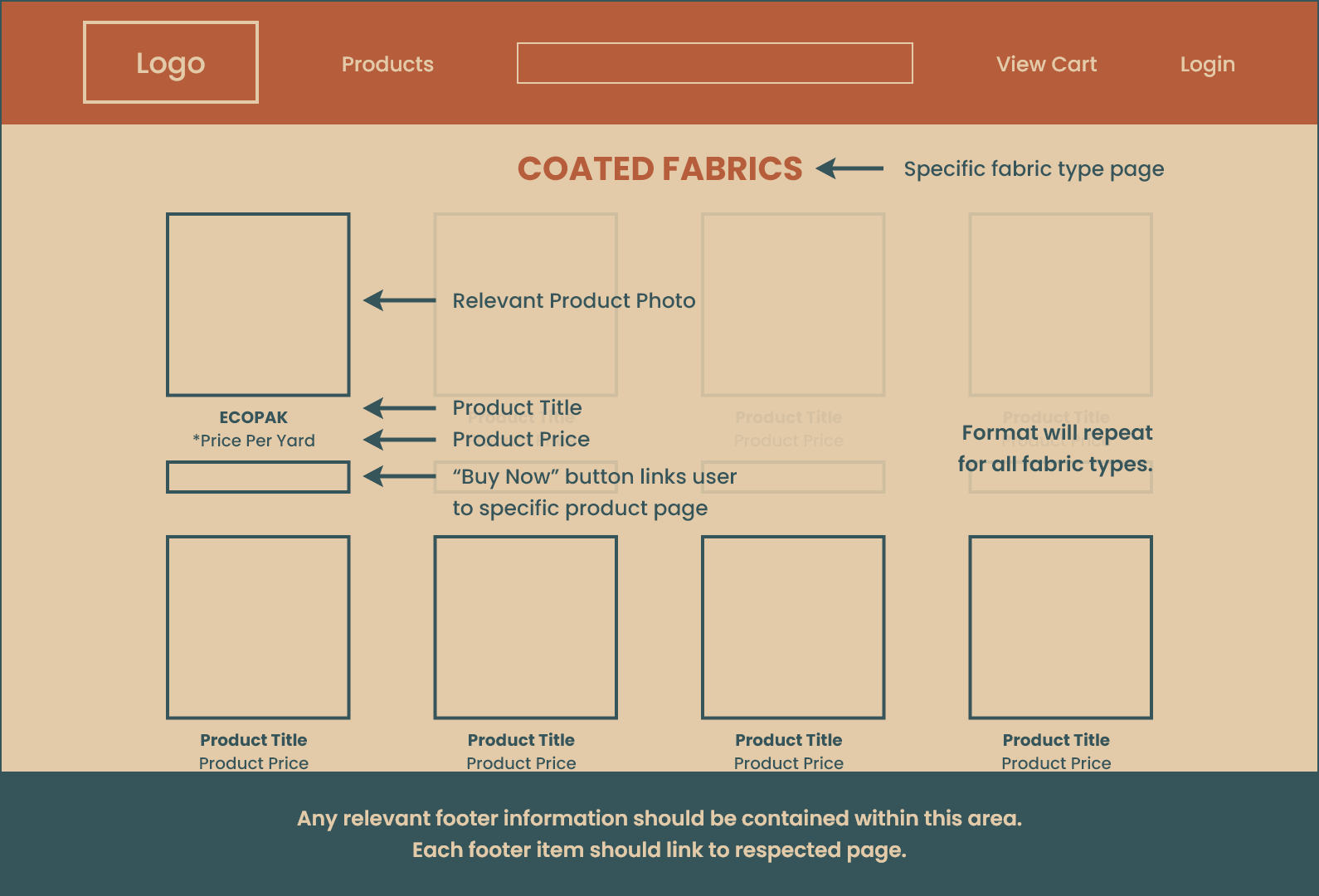
Functional Description for Product Page
The purpose of a product page is to provide comprehensive and detailed information about a specific product. Its functional job is to showcase the product’s features, specifications, images, pricing, etc.
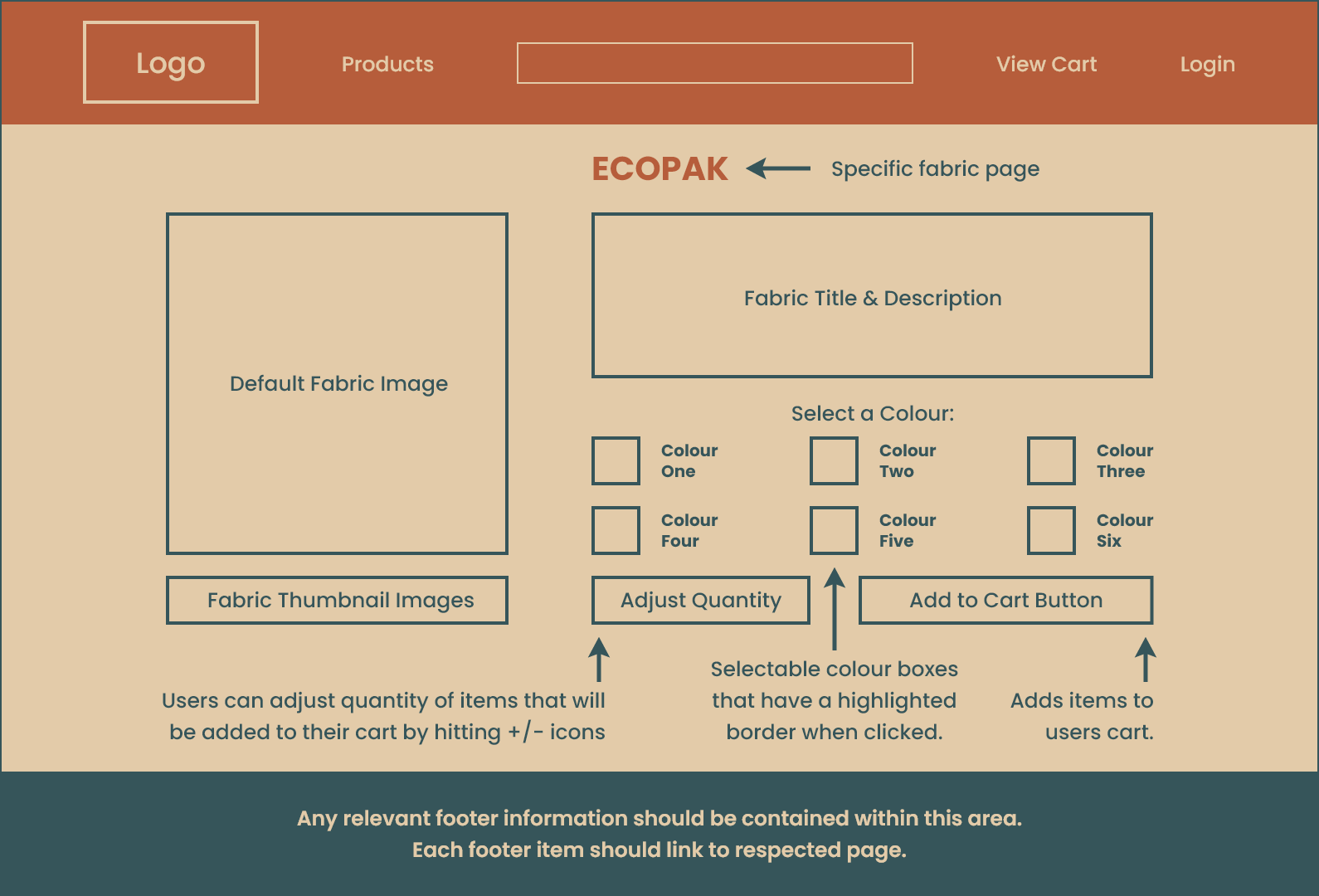
Functional Description for Shopping Cart
The purpose of a cart page is to provide users with a summary of the items they have added to their shopping cart during their browsing and shopping session. Its functional job is to display a list of the selected products along with their quantities and prices. Additionally, the cart page allows users to review, modify, and remove items from their cart before proceeding to the checkout process.
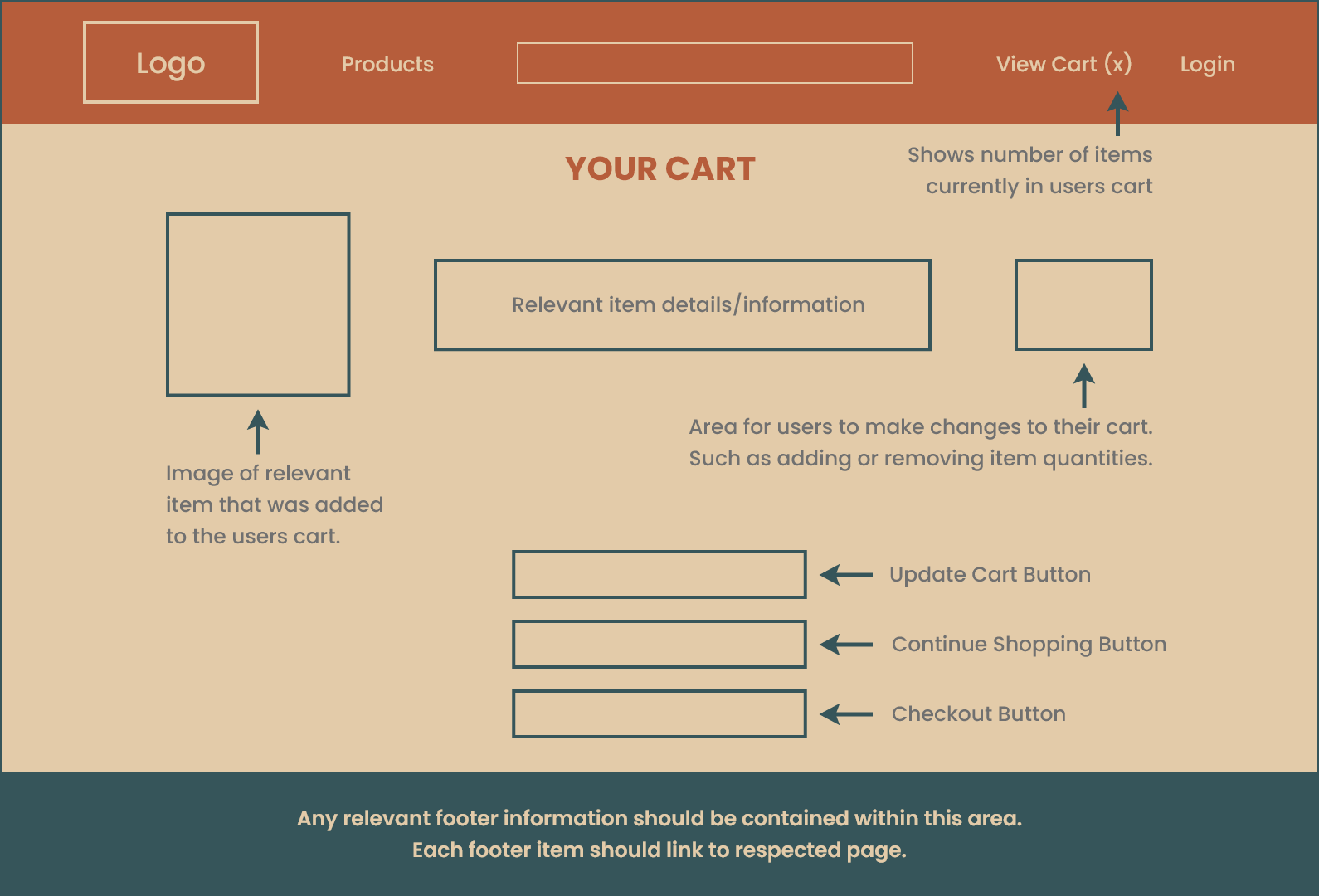
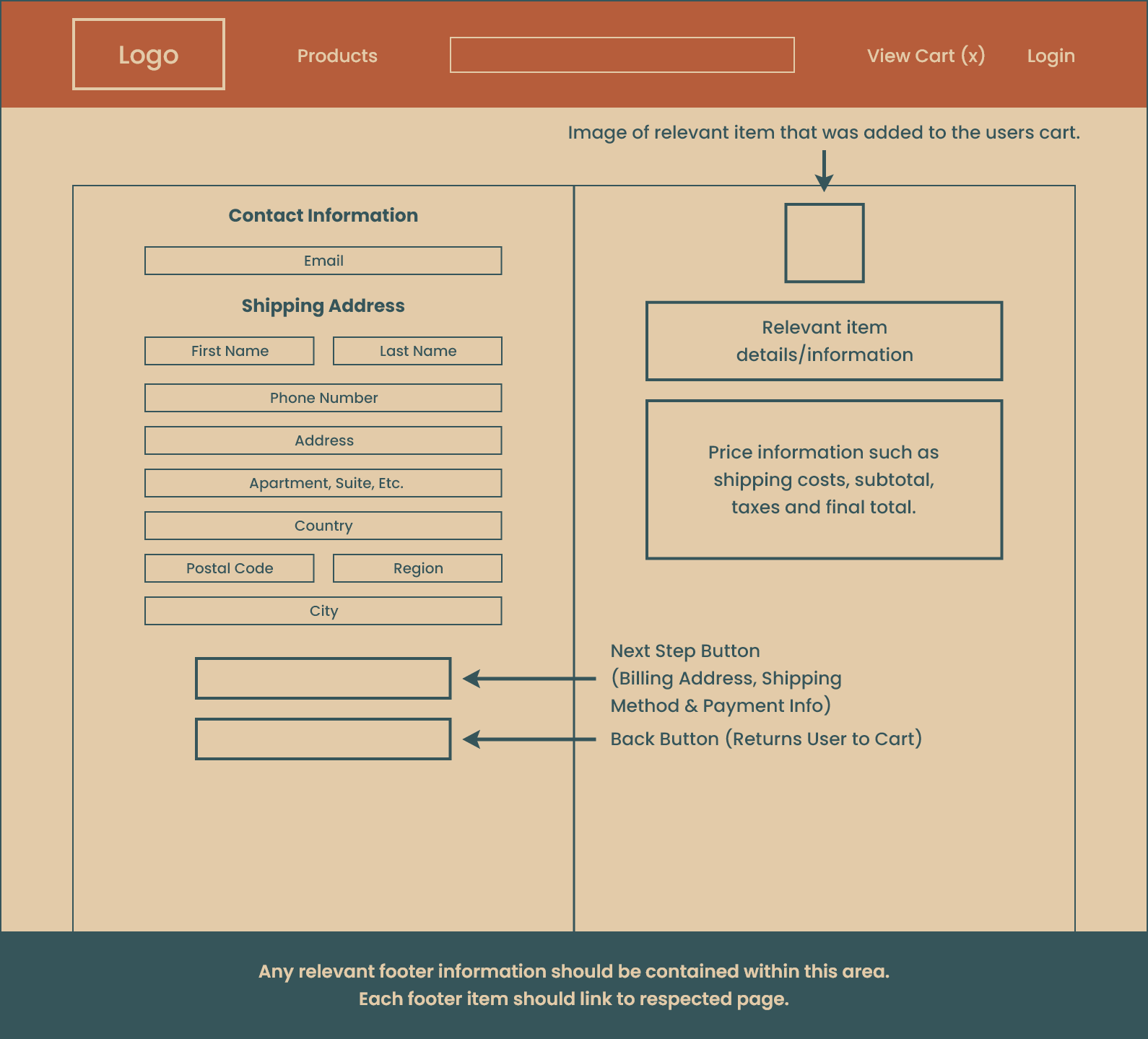
Functional Description for Checkout Page
The purpose of a checkout page is to facilitate the final steps of the purchasing process. Its functional job is to gather essential information from customers to complete their transactions successfully. The checkout page typically requires users to input their shipping address and payment details.